Construction inspection software
Inspections signed off on site
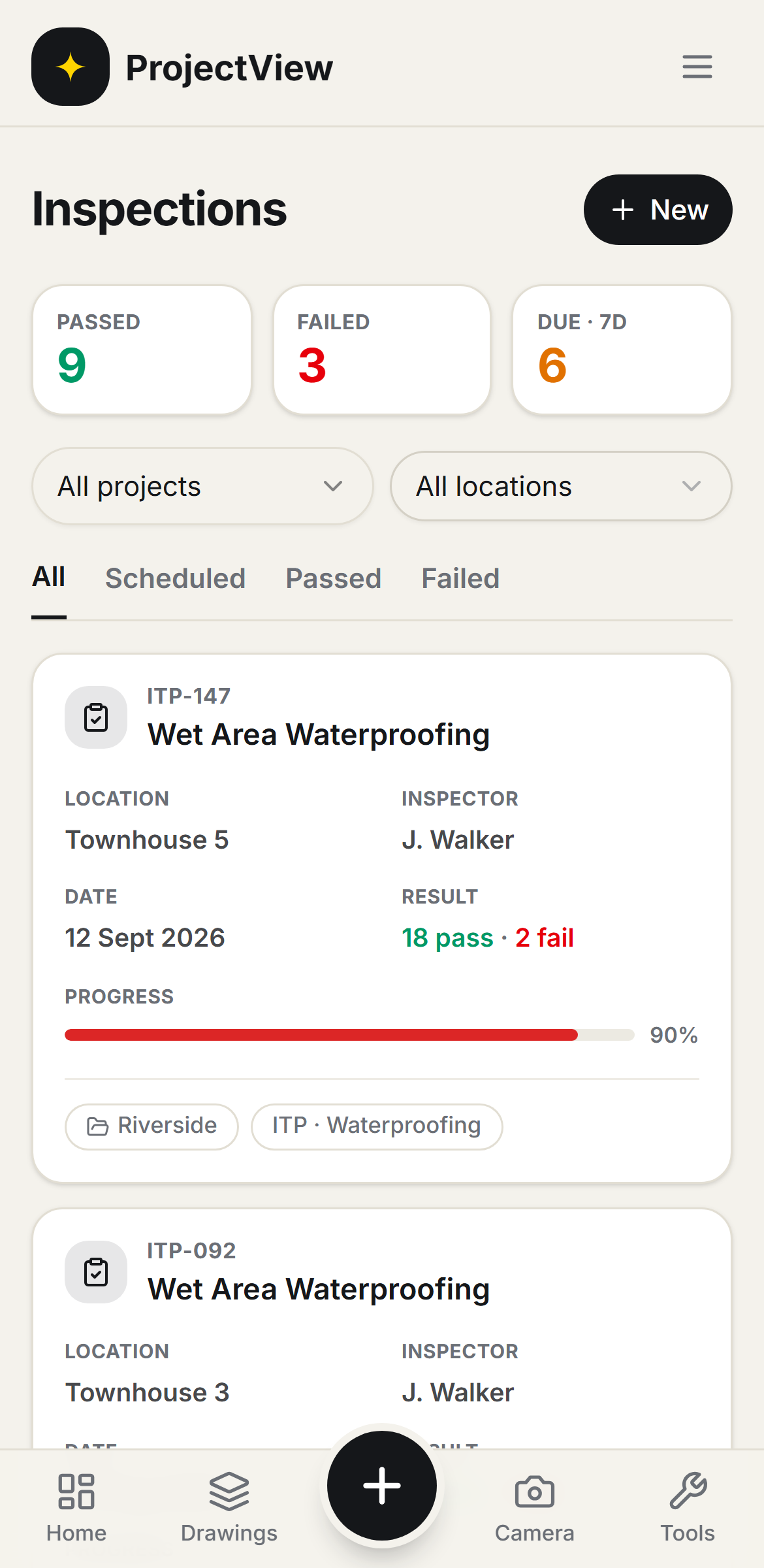
Inspection and test plans run on site, with each item marked pass, fail or N/A. Failed items are raised as Defects, and every signed inspection is stored as a timestamped PDF.

Inspection and test plans
A library of 27 ITPs, one per stage, applied to every location.
Site inspection
Items are marked pass, fail or N/A, with photographic evidence.
Non-conformances
Each failed item is raised as a Defect, assigned to the responsible trade and tracked to closure.
Sign-off and records
Signed inspections are stored as timestamped, tamper-evident PDFs.
How it works
The procedure
Select the ITP
The template is applied to the locations it covers. One inspection is generated per location.
Inspect on site
Each item is marked pass, fail or N/A, with photographs attached as evidence.
Raise the Defects
Each failed item is raised as a Defect, assigned to the responsible trade and tracked to closure.
Sign off
The signed inspection is stored as a timestamped, tamper-evident PDF.
Every location, every ITP, one register
Inspection and test plans are organised by unit and area, each showing pass, fail or outstanding. The register can be filtered by status, type or location.
Get Started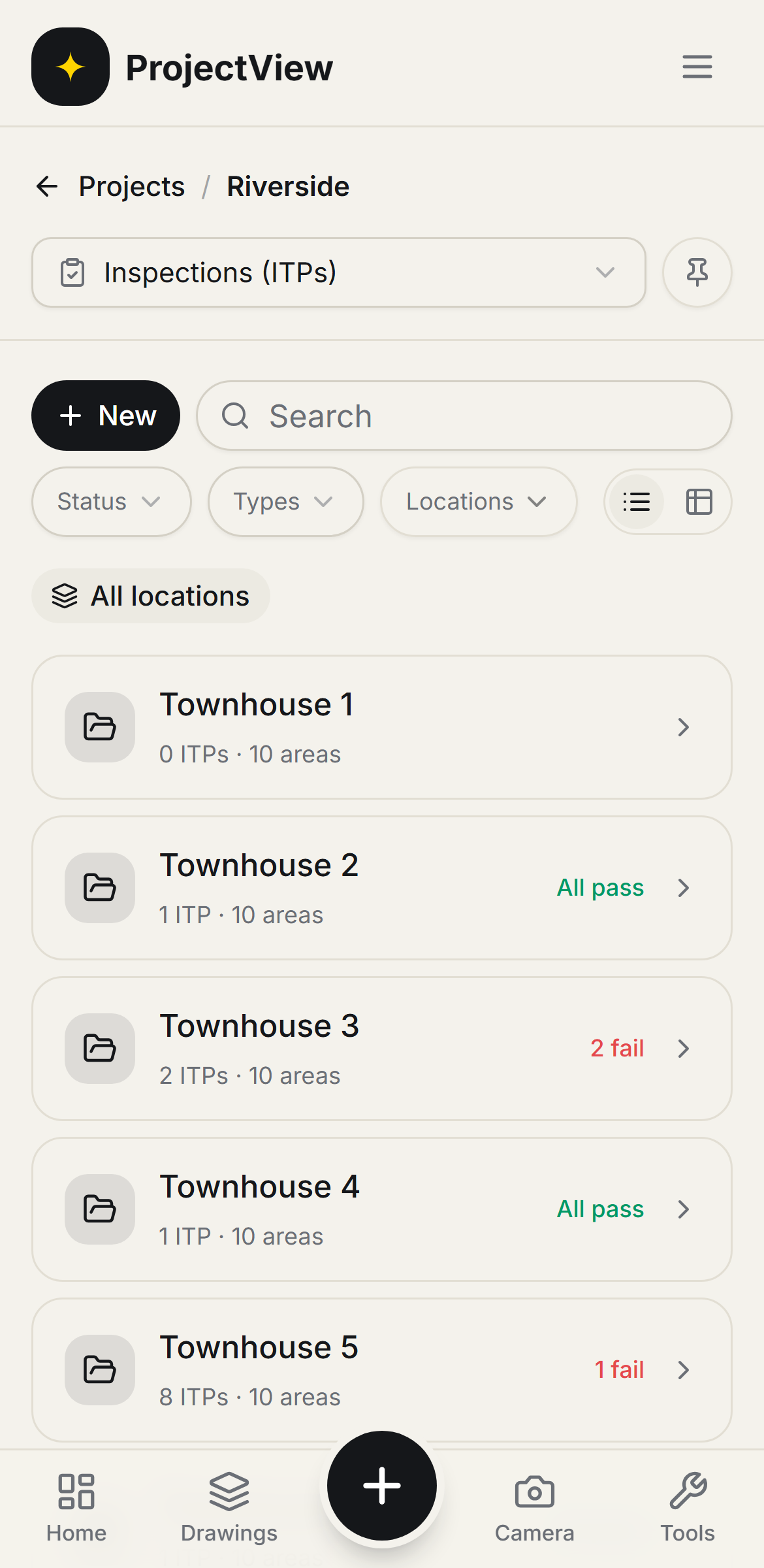
Inspected and signed on site
Each item is marked pass, fail or N/A with photographic evidence. On signature the inspection becomes an audit-ready PDF with the evidence attached.
Get Started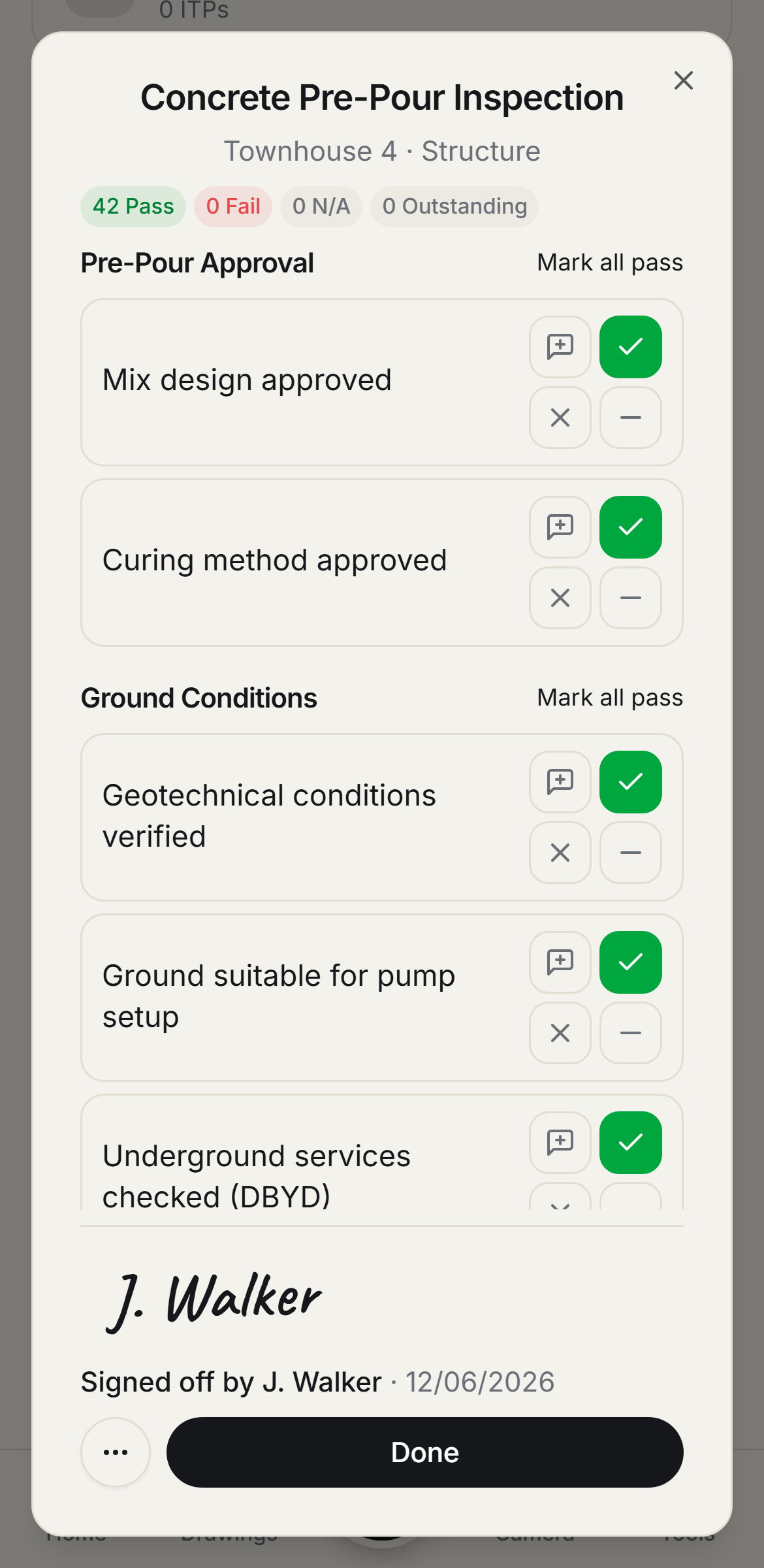
Questions, answered
Get started
Start free on your first Project
One price per company, from $199 a month. No lock-in contract.