Construction invoicing software
Invoices raised on site and tracked to paid
Tax invoices and progress claims are raised from the job, synced to Xero and tracked to paid. Overdue invoices are followed up automatically.

Raised on site
A tax invoice or a staged progress claim is raised from the phone, carrying the business name and ABN.
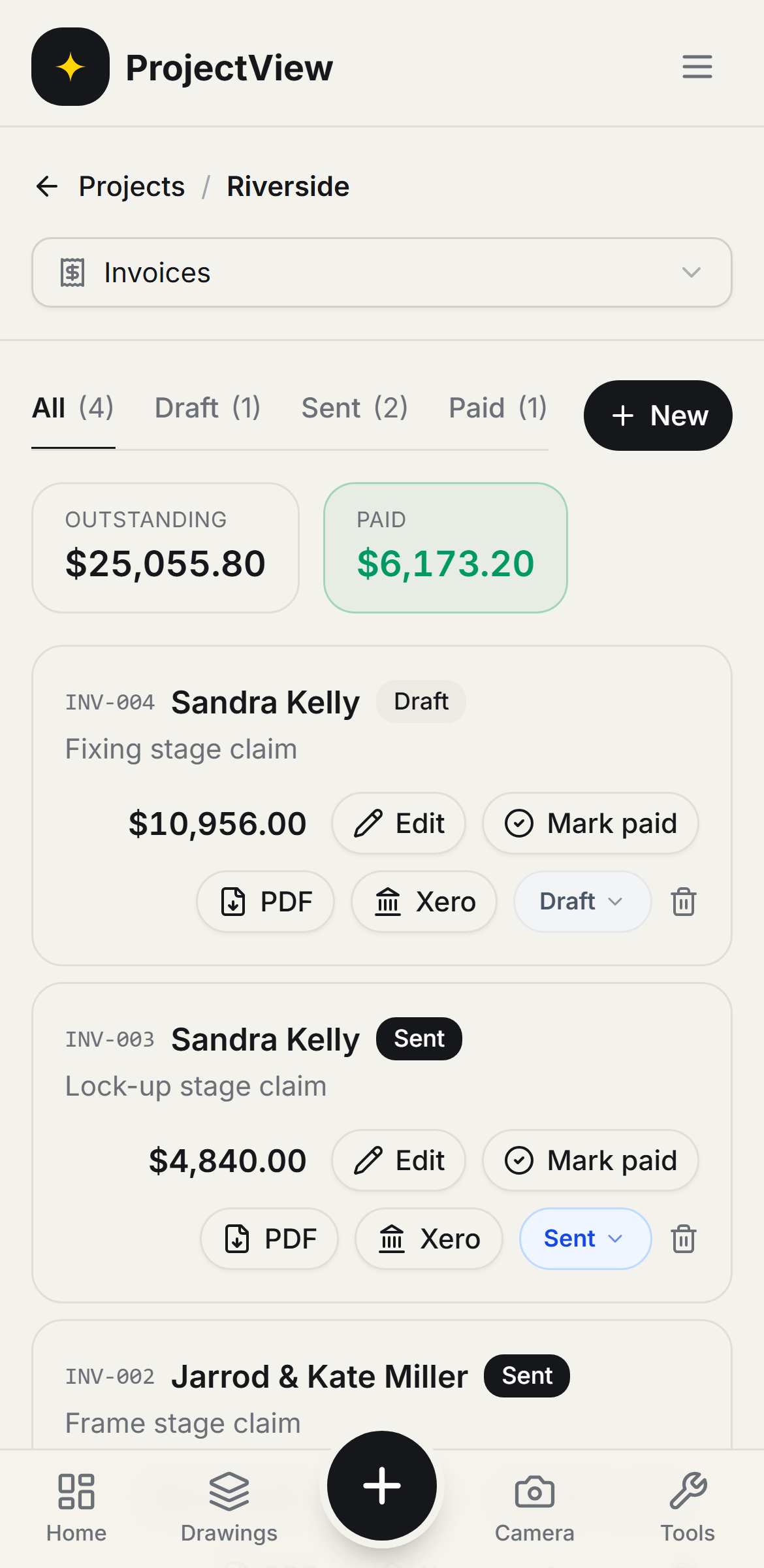
Outstanding versus paid
The amount outstanding and the amount paid are shown at the top of every job.
Automatic follow-up
With reminders switched on, each overdue invoice is followed up by email until it is paid.
How it works
The procedure
Raise the invoice
A tax invoice is built line by line, or raised from an accepted quote. GST is calculated and the invoice exports as a compliant PDF.
Send it
The invoice is sent to the client from site, carrying the business name and ABN.
Track what is owed
Outstanding versus paid is shown for the job, and each invoice is pushed to Xero in one step.
Follow up
With reminders switched on, overdue invoices are followed up by email until paid. A manual reminder can be sent at any time.
What is owed, at a glance
Outstanding versus paid across the job sits at the top of the list. A tax invoice or a progress claim is raised, marked paid or pushed to Xero from the same screen.
Get Started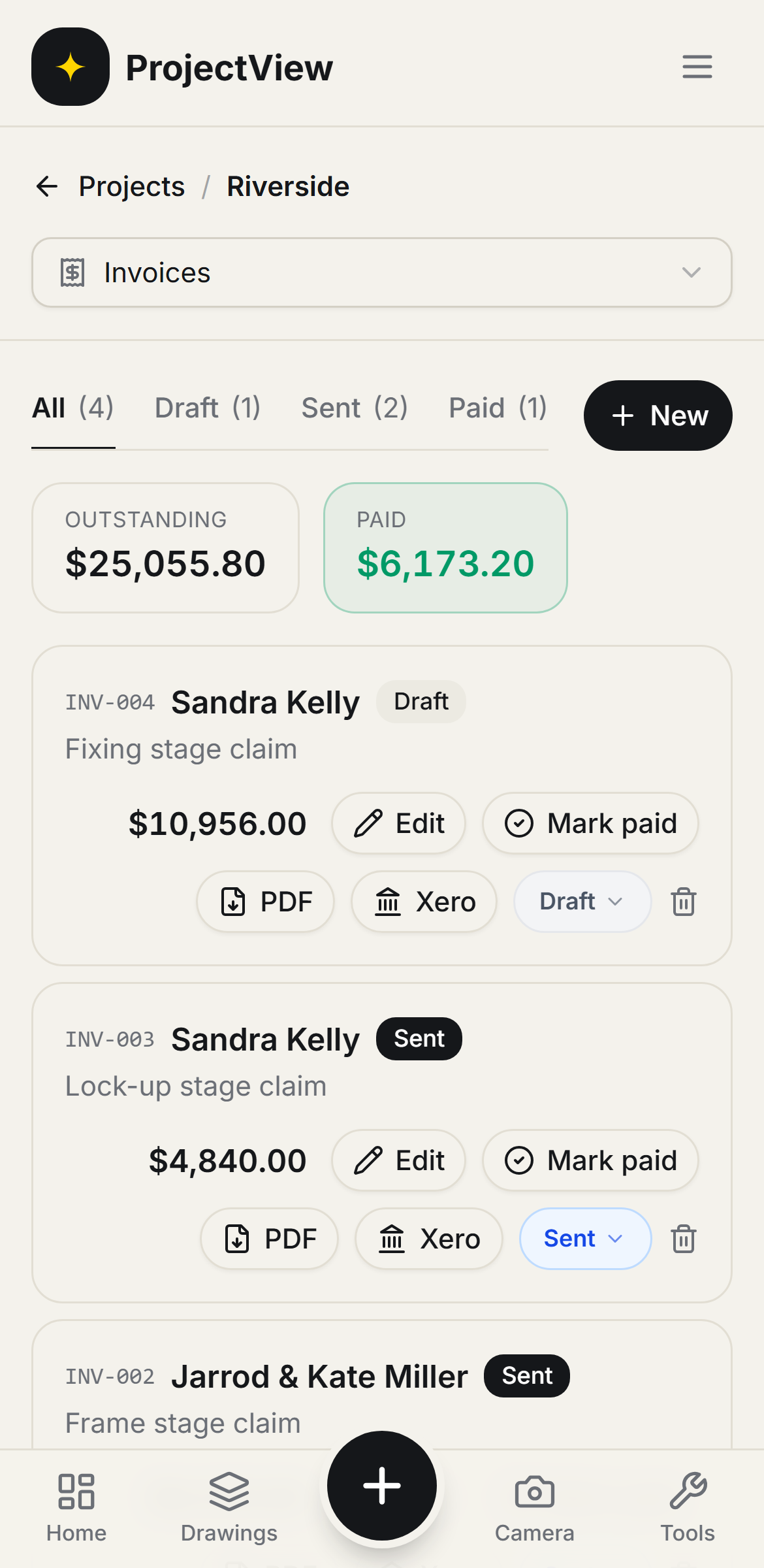
Raised on site
The invoice is built line by line, or raised from an accepted quote. GST is calculated, the business name and ABN are carried on it, and it exports as a compliant PDF.
Get Started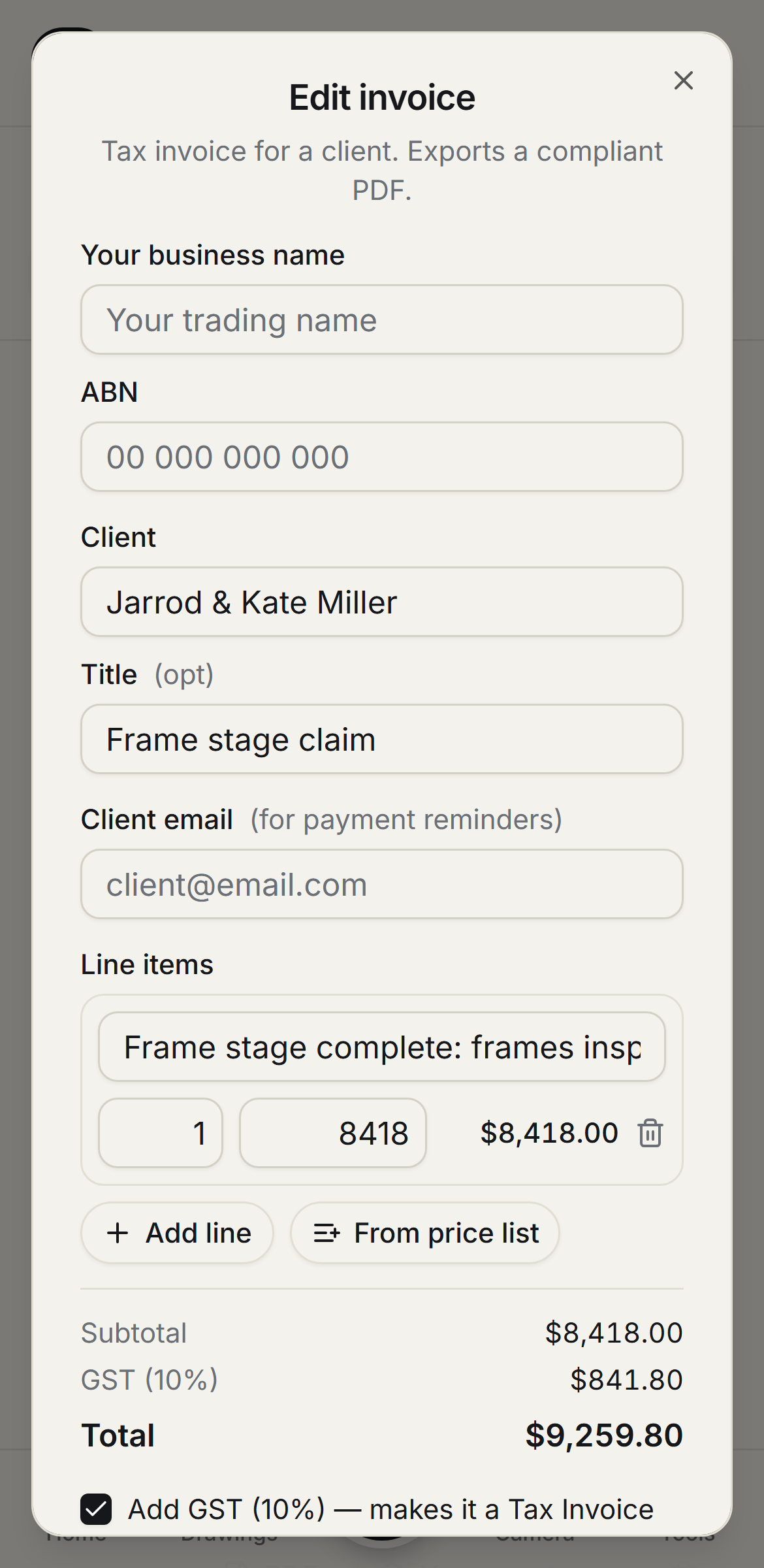
Questions, answered
Get started
Start free on your first Project
One price per company, from $199 a month. No lock-in contract.