Construction purchase order software
Committed spend recorded when the order is raised
Each purchase order is raised on site with its items, quantities and prices. The commitment is recorded against the cost code in the Cost Tracker before the supplier invoice arrives.
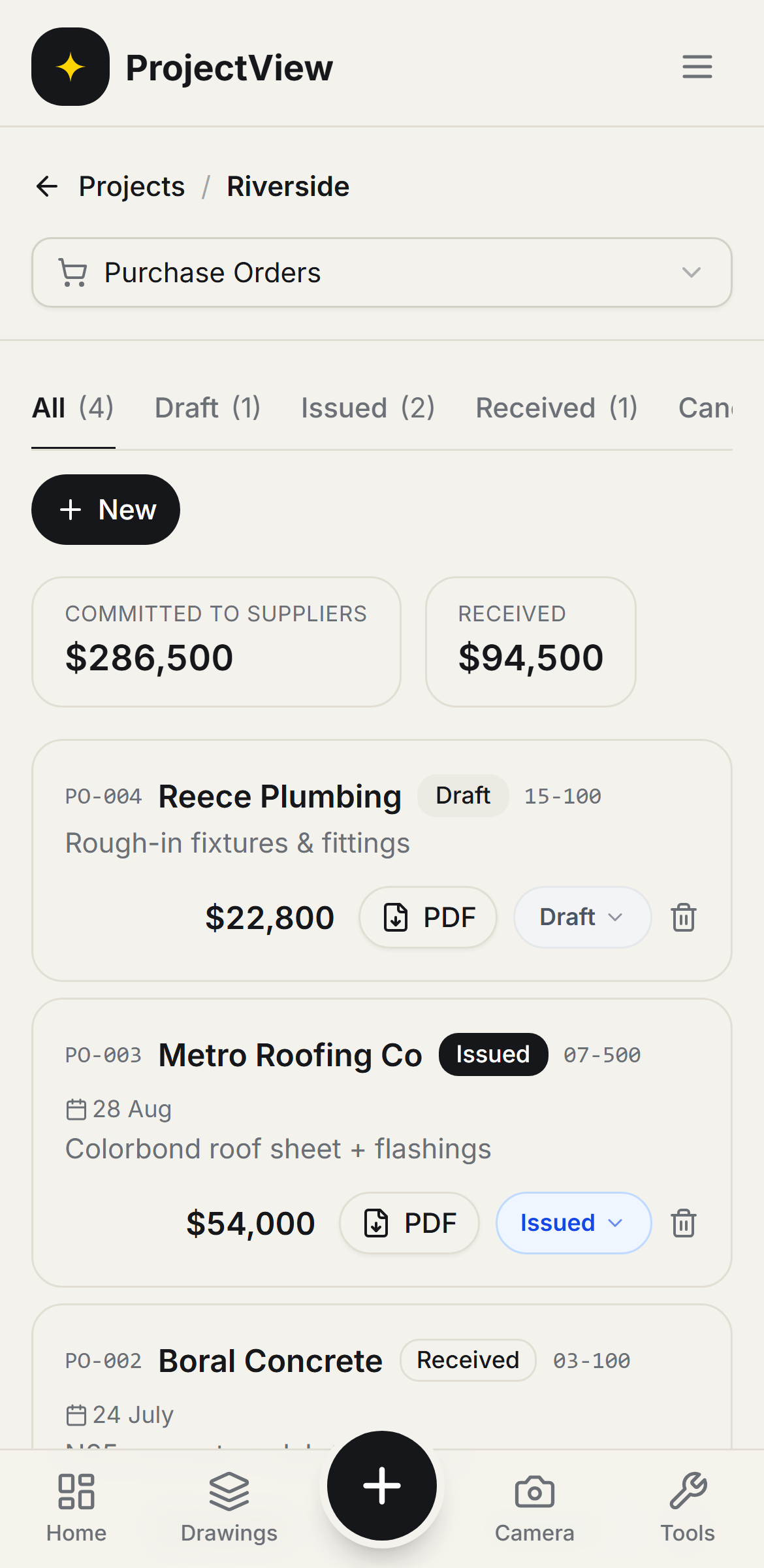

Raised on site
A purchase order is raised to a supplier from the phone with the items, quantities and prices.
Committed, recorded
Every order shows what has been committed, so the true position is known before the invoices arrive.
Into the Cost Tracker
Committed spend is recorded against each cost code in the Cost Tracker.
How it works
The procedure
Raise the order
A purchase order is built on site with the items, quantities and prices.
Send the order
The order is sent as a branded PDF and kept on the job as the record of what was ordered.
Commit the budget
The order is recorded as committed spend against its cost code in the Cost Tracker.
Track to delivery
Each order is followed through to delivery and the supplier invoice, with everything on order in one list.
Committed versus received
Committed to suppliers versus received at the top, and every order below with its status and a branded PDF ready to send.
Get Started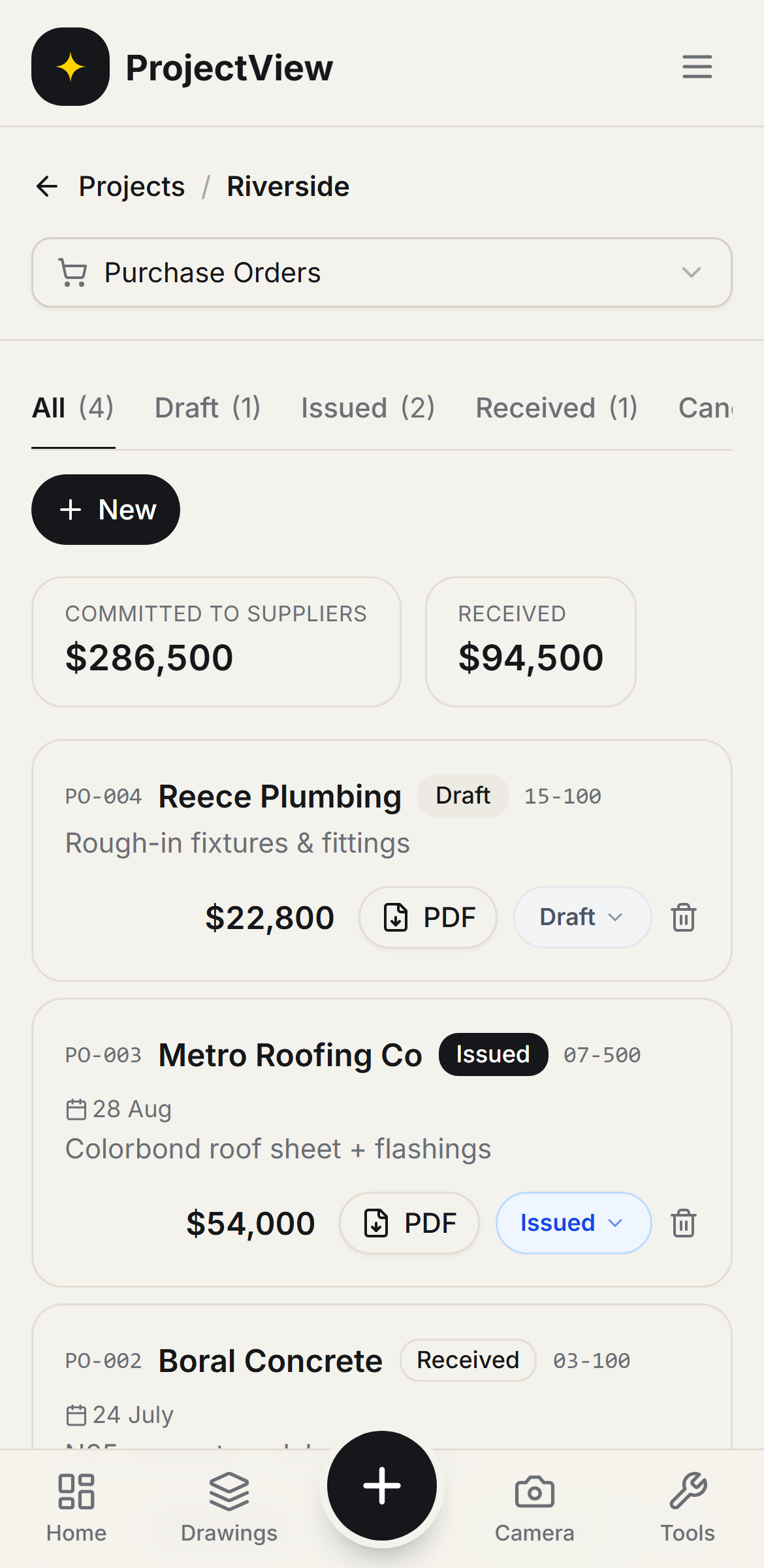
Raised on site, recorded in the costs
An order is raised in a few taps with the items, the amount and a cost code. The commitment is shown against that code in the Cost Tracker the moment the order is raised.
Get Started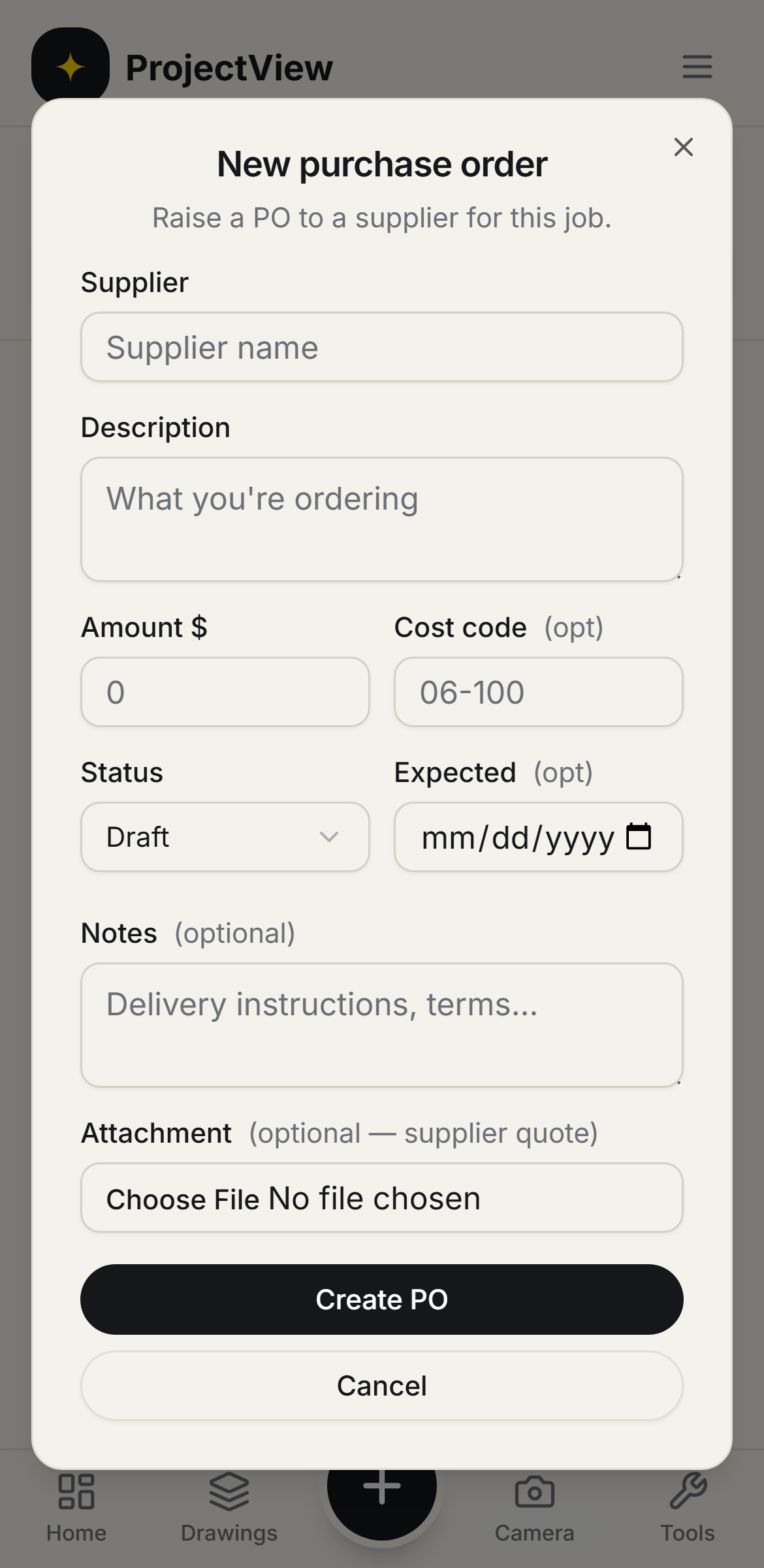
Questions, answered
Get started
Start free on your first Project
One price per company, from $199 a month. No lock-in contract.