Construction resourcing software
The crew rostered across every job
Every worker is shown against every job for the week on one board. A double-booking is flagged the moment it occurs, and daily updates from site are recorded against the roster.
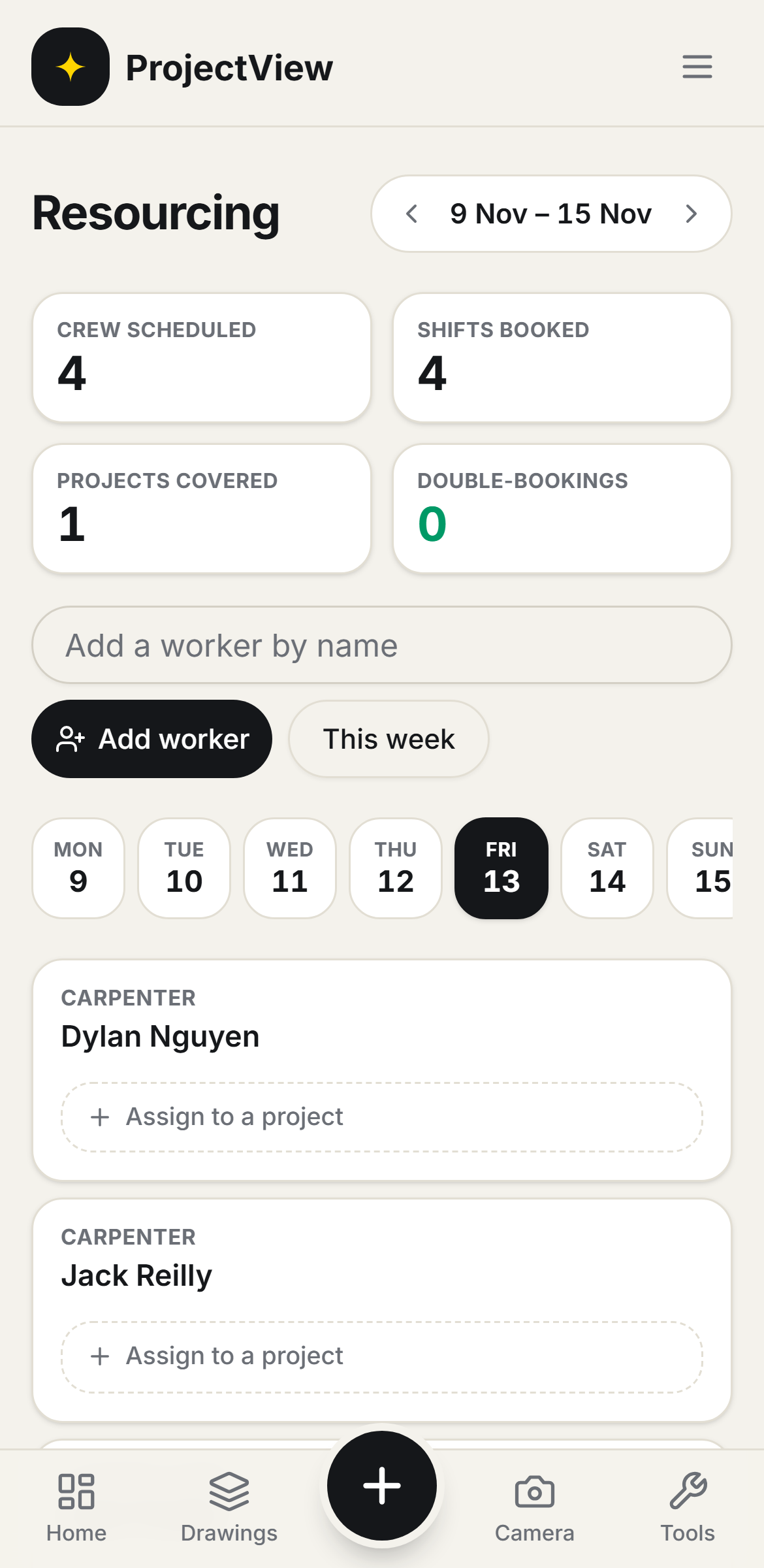

The whole crew, one board
Every worker is shown against every job for the week, and assigned in one tap.
Double-bookings flagged
A worker booked on two jobs the same day is flagged in amber before it becomes a problem on site.
Updates from site
The crew record what was done from their phones, so the day's progress is on the board.
How it works
The procedure
Open the board
Every worker is shown against every job for the week on one board.
Assign the crew
A worker is placed on a job for the day by tap or drag.
Resolve clashes
A worker booked on two jobs the same day is flagged in amber and reassigned before site.
Record from site
The crew record a short update from their phones each day, and it is shown against the roster.
The whole crew, one board
Every worker against every job for the week, assigned in one tap. A clash is flagged in amber the moment a worker is booked on two jobs at once.
Get Started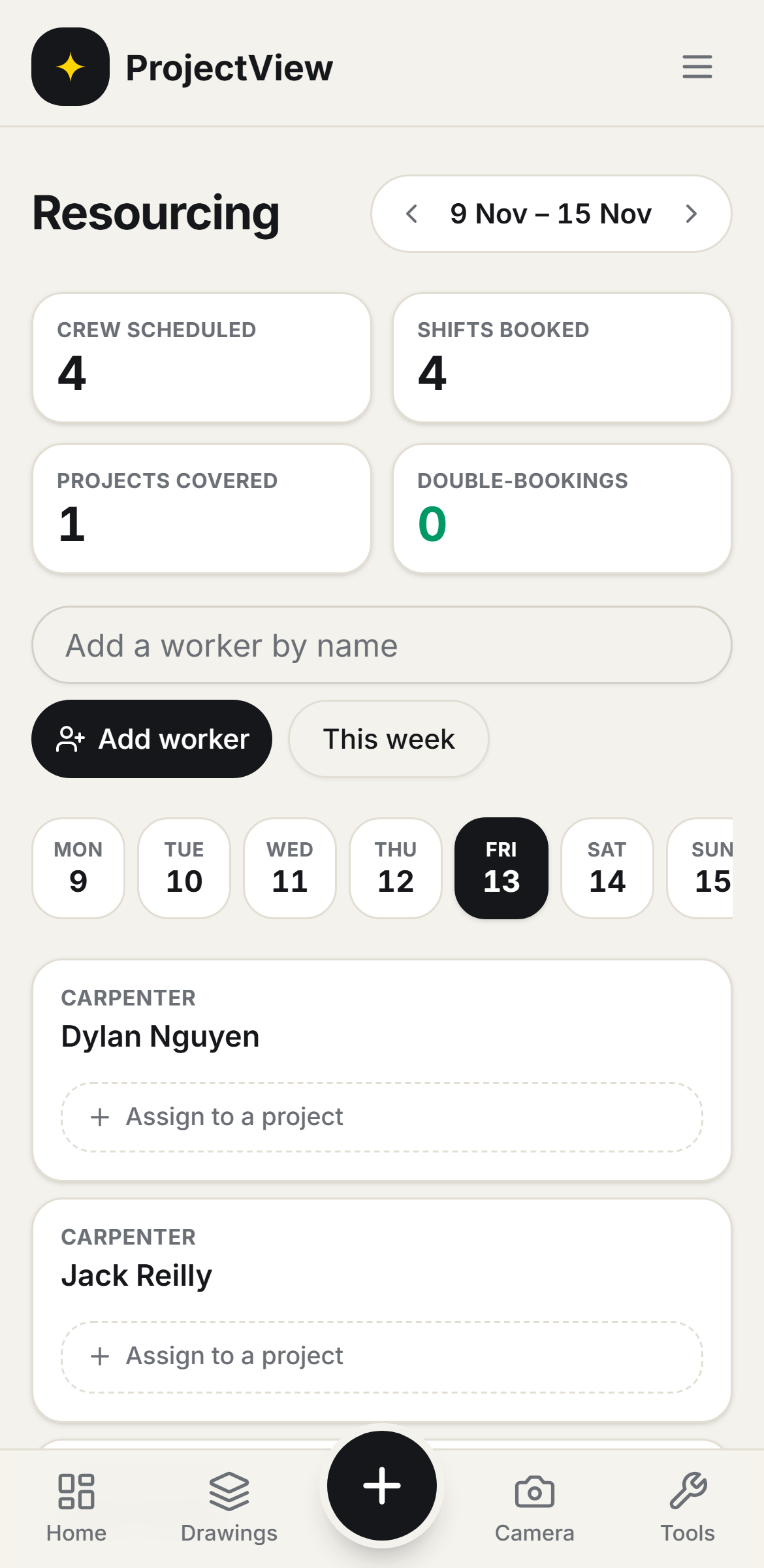
Daily updates from site
The crew record a short update from their phones each day, and it is shown against the roster, so each job's progress is on record without a phone call.
Get Started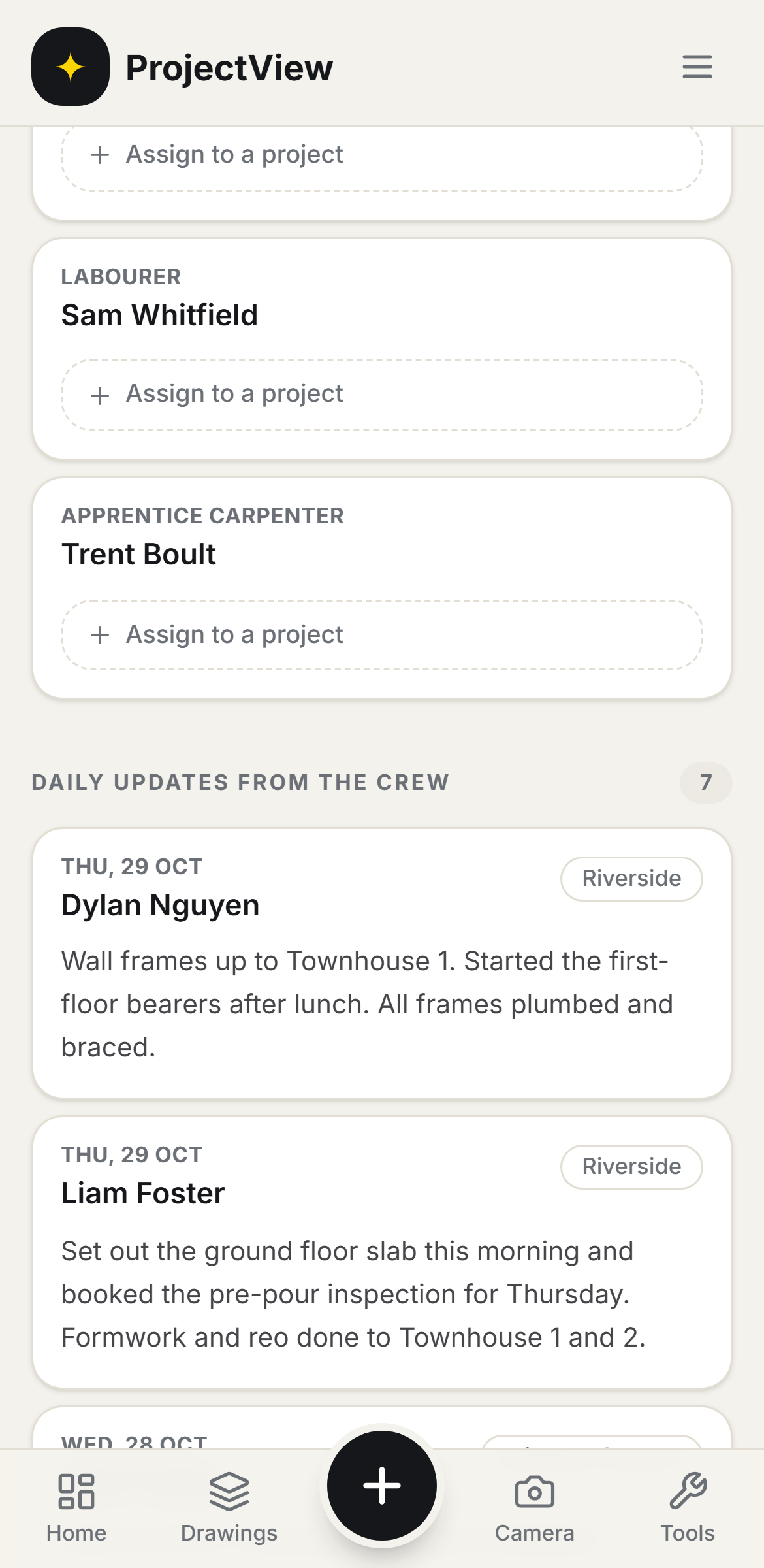
Questions, answered
Get started
Start free on your first Project
One price per company, from $199 a month. No lock-in contract.